Plan your meals. Your shopping list is done.
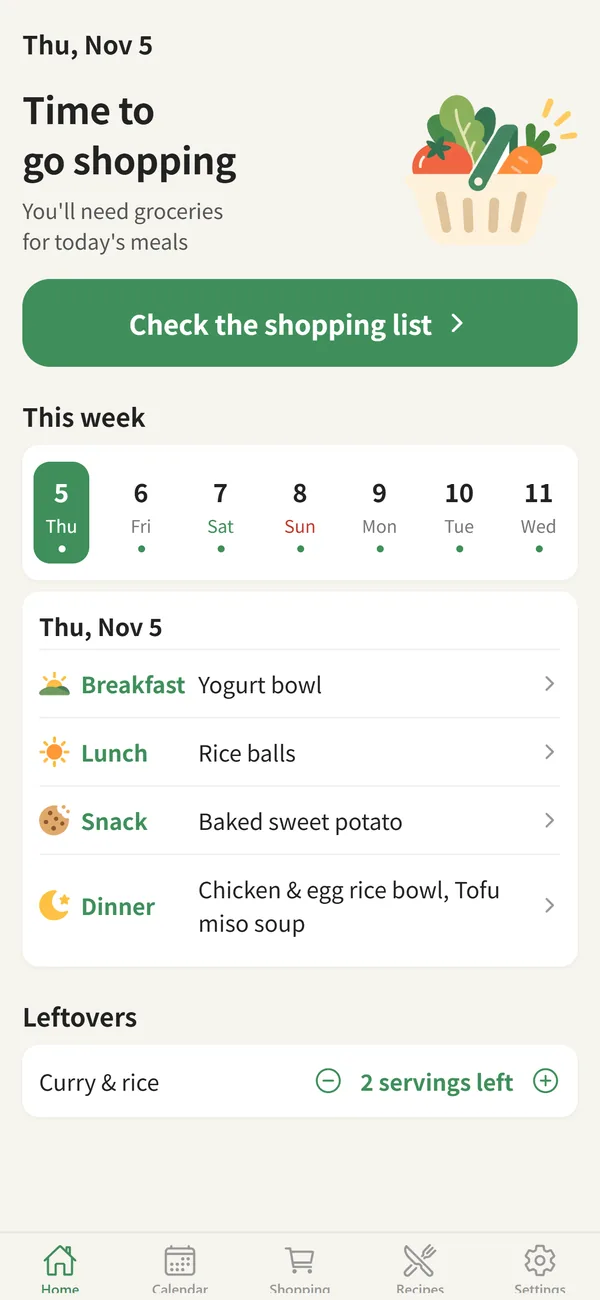
Add your meal plan, and MealCast works out the ingredients and amounts you need, counting make-ahead leftovers, how many people are eating and the staples you have at home. It also reminds you when it’s time to shop.
For iPhone only
- 14 days free
- No account needed
- No ads
Does grocery shopping feel like this?
You get to the store and can’t remember what to buy
You have leftovers, but buy the ingredients again
You forget what’s at home and buy it twice
More or fewer people eating, and you’re not sure how much you need
Add your meal plan. Know what to buy and how much.
MealCast goes through your meal plan day by day, counting leftovers, how many people are eating and the staples you have, and works out which ingredients will run short and by how much.
-
Leftovers mean less to buy
Cook 4 servings of curry on Monday and eat it again on Tuesday? You buy the ingredients once.
-
Amounts that match who’s eating
Serving a 2-person recipe to 3 people? The ingredients are scaled by 1.5.
-
What you have at home is subtracted
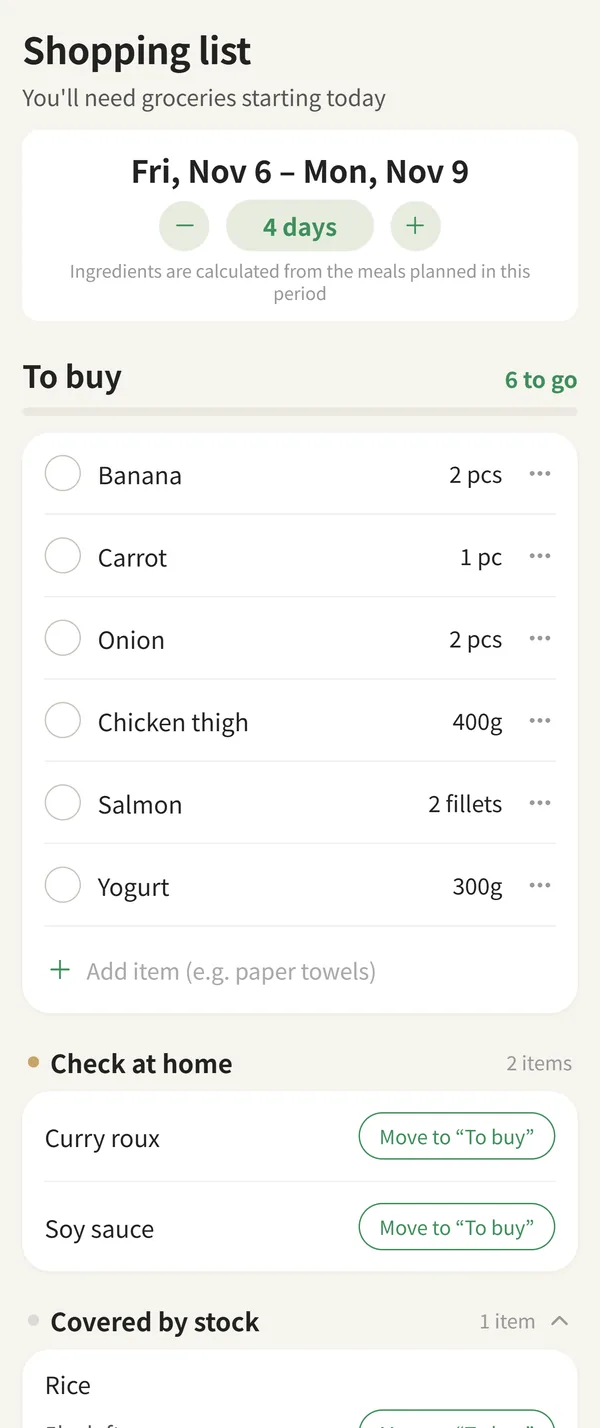
While there’s still rice at home, it stays off your shopping list.
Get started in 3 steps
-
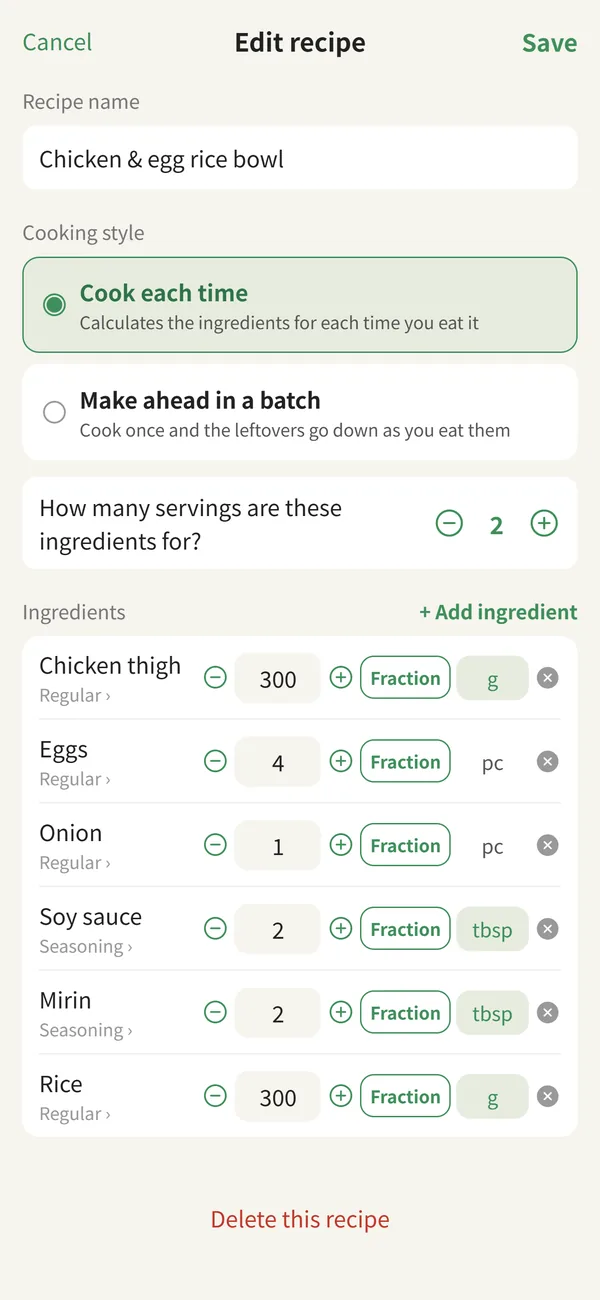
1Add your usual recipes
Enter the ingredients, the amounts and how many servings they make. A recipe that “serves 2” goes in as 2 servings, just as written.
-
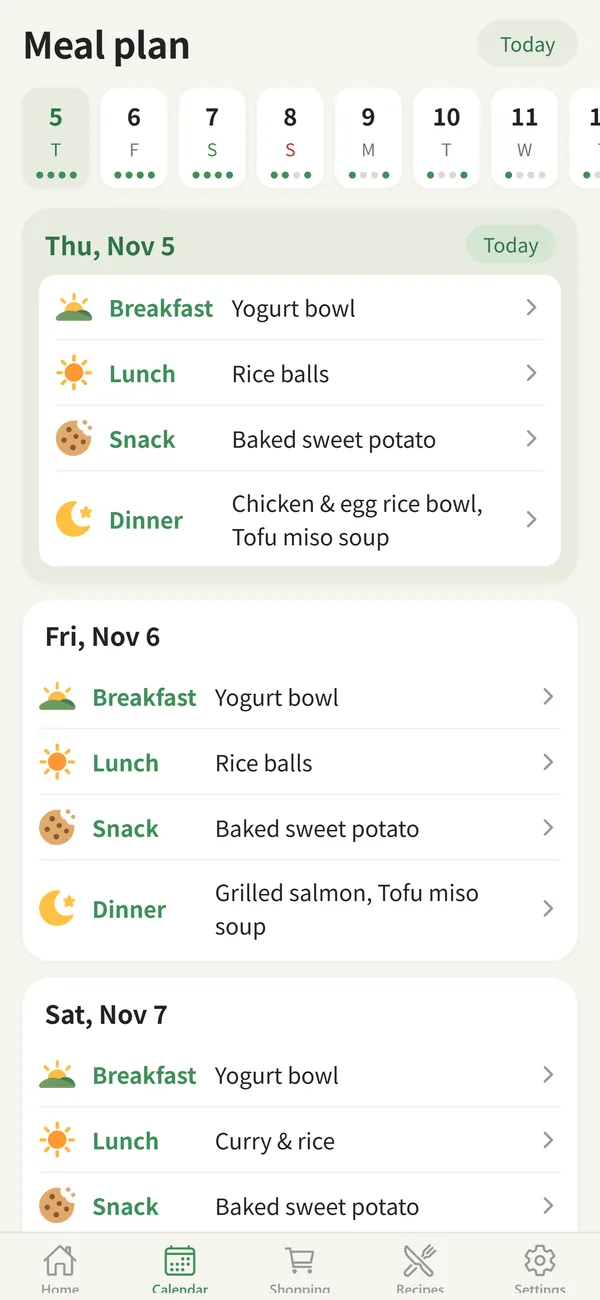
2Put meals on the calendar
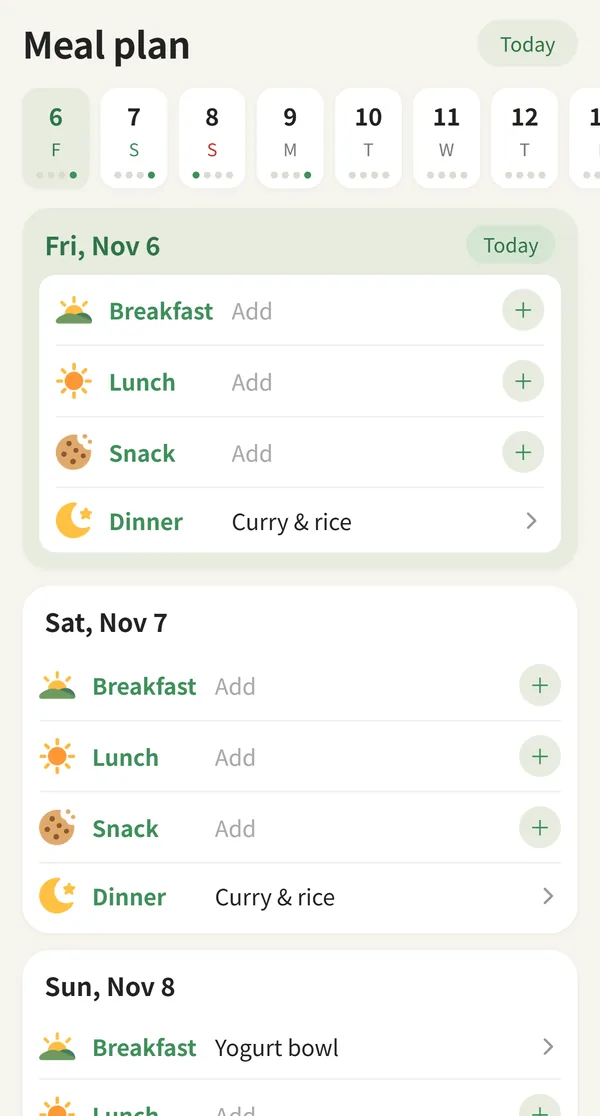
Add recipes to breakfast, lunch, snack or dinner. Everyday favorites can be set to repeat.
-
3Get your shopping list
What’s missing, and how much, sorted by store aisle. A reminder tells you when to shop.
Everyday shopping, made easier
-
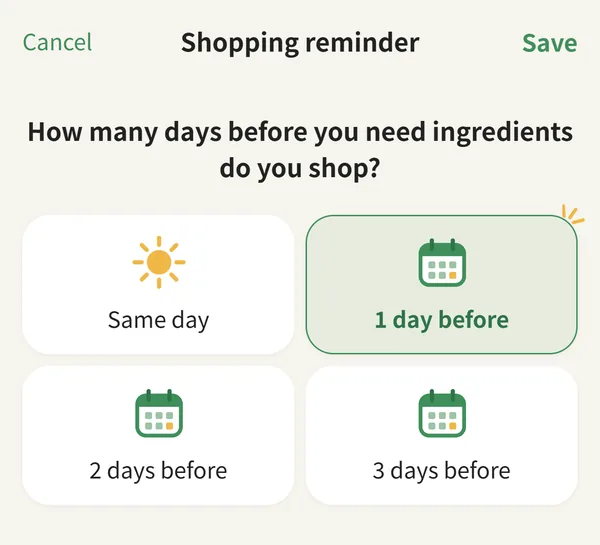
Never forget a shopping day
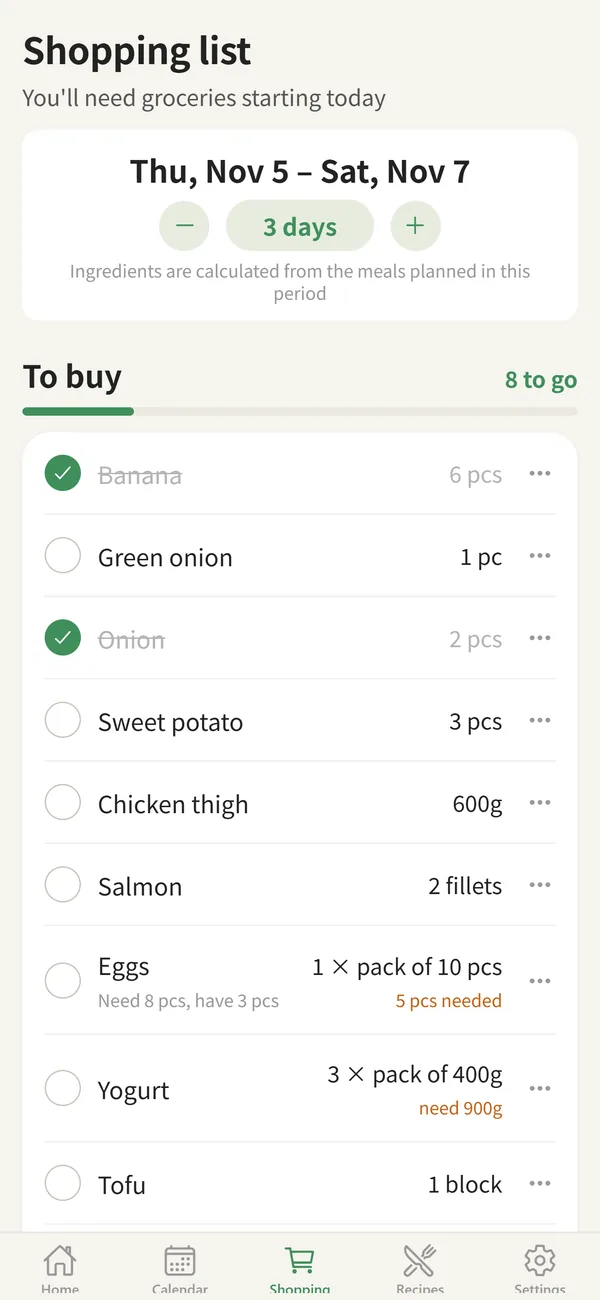
Choose when to be reminded, from the day you need ingredients to 3 days before, and at what time. Change your plan and the reminder moves with it.
-
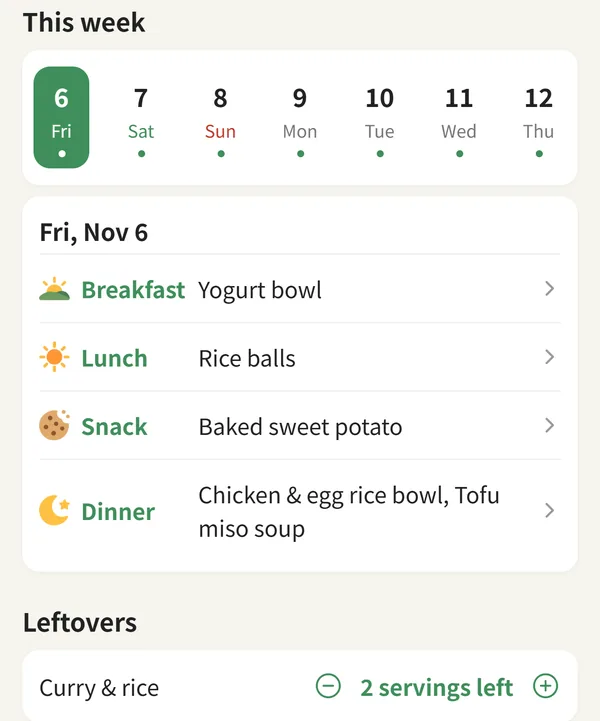
See your leftovers at a glance
Home shows things like “2 servings left”. The count goes down as you eat, and you can adjust it yourself.
-
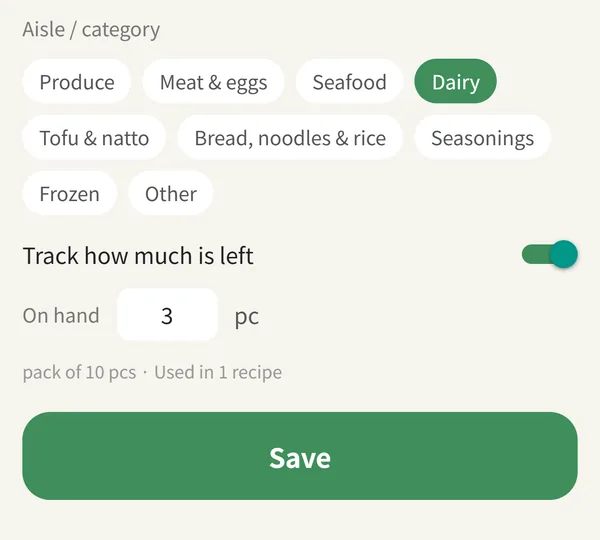
What’s at home counts too
Enter how much rice, eggs or other staples you have. What your meals use is subtracted, and what you tick off as bought is added back.
-
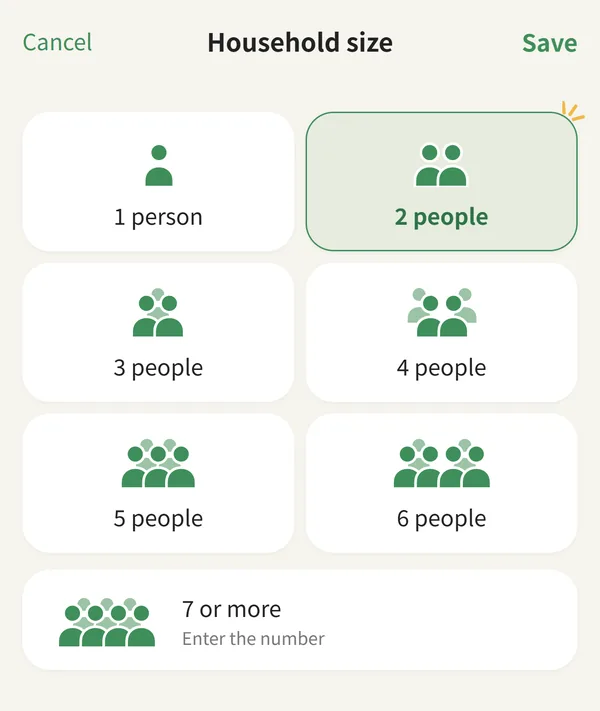
Amounts that match who’s eating
Amounts are worked out for your household size, and you can change the servings for any meal.
-
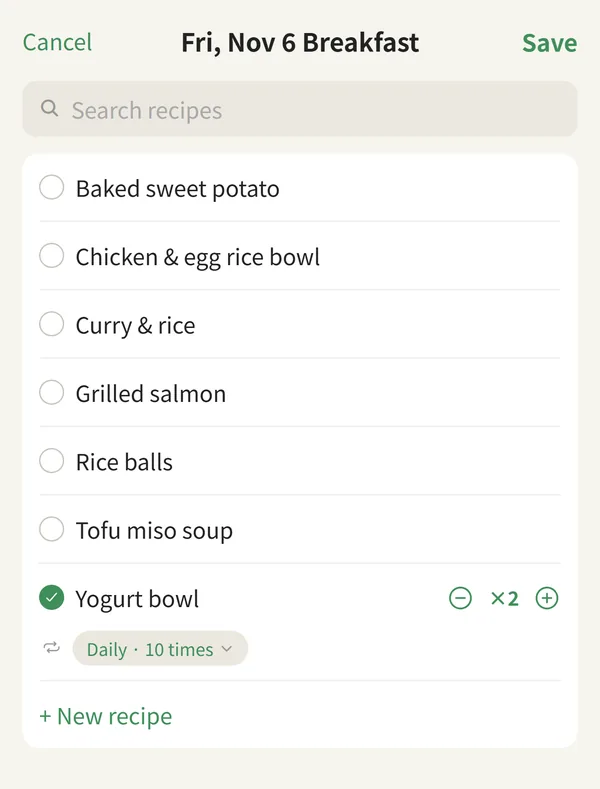
Repeat your usual meals
Set meals to repeat daily, weekly or monthly, well into the future, and skip any single day.
-
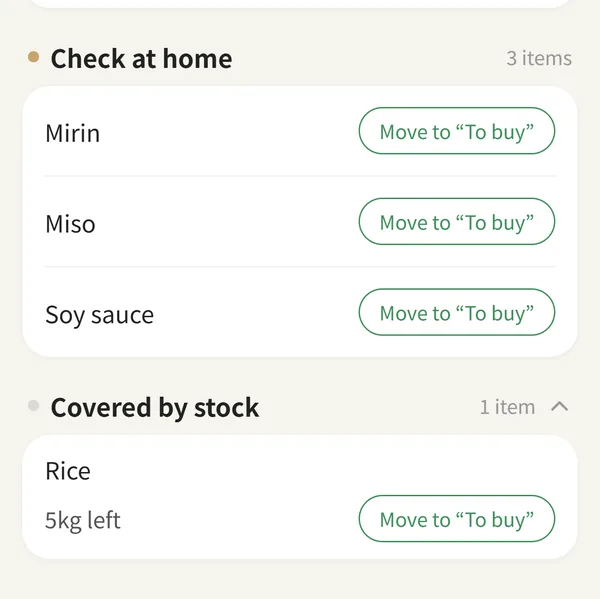
Seasonings: just check you have them
Soy sauce, salt and the like go in a separate list with no amounts. Out of one? Move it to “To buy” with a tap.
-
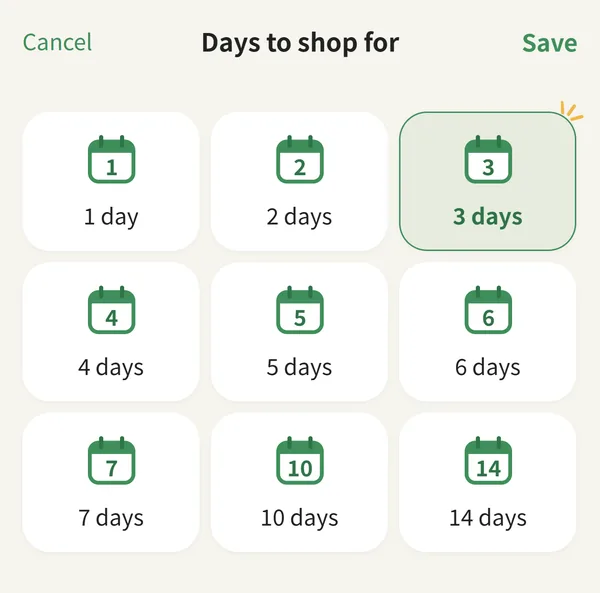
A list for as many days as you need
Choose 1 to 14 days, or change the number for a single trip.
-
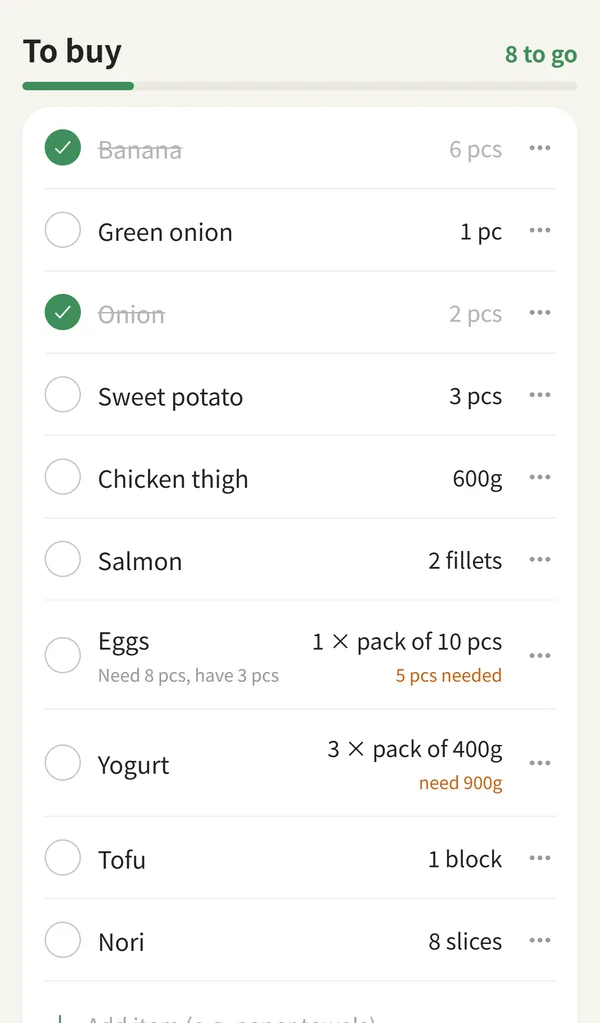
A shopping list in aisle order
Produce, meat, fish and more, in the order of the store. Tap a row as it goes in the basket.
Your data stays on your iPhone
- No account needed
- Stored on your iPhone
- Never sent to a server
- No ads
- No tracking
Your meal plans, recipes and ingredients are stored on your iPhone and never sent anywhere. See our Privacy Policy for details.
One plan, billed yearly
- Use every feature free for the first 14 days.
- When the free trial ends, the annual plan starts and then renews automatically every year.
- Cancel at least 24 hours before the trial ends and you won’t be charged.
- Cancel anytime in iPhone Settings. Payment is charged to your Apple ID.
MealCast Annual Plan
- First 14 days
- Free
- Then every year
- Annual price
The annual price depends on your country or region and is shown in the app before you subscribe.
FAQ
Does it work with make-ahead cooking?
Yes. Set a recipe to “Make ahead in a batch” and MealCast counts the ingredients on the day you cook and keeps track of the servings left. On days you have leftovers, you don’t buy ingredients for them.
Do I have to enter what’s in my fridge every time?
No. MealCast isn’t an inventory app: it works out what you need from your upcoming meals. If you like, you can track how much is left of a few staples, such as rice or eggs, as pantry stock.
When am I charged after the free trial?
The annual plan is charged 14 days after you start the free trial. Cancel at least 24 hours before then and you won’t be charged. The price is shown in the app, in your country’s currency.
How do I cancel?
Open the iPhone Settings app, tap your name, then Subscriptions → MealCast. You can also get there from “Manage Subscription” in the app’s Settings. You can keep using MealCast until the end of the period you paid for.
If I cancel, is my data deleted?
No. Your data stays on your iPhone, so if you resume the annual plan later, you can pick up where you left off. Deleting the app deletes its data.
Can I move my data to a new iPhone?
Yes. MealCast’s data is part of your iPhone backup (such as iCloud Backup), so restoring your new iPhone from a backup brings it across. Your annual plan comes back automatically with the same Apple ID. If it doesn’t, tap “Restore Purchases” on the subscription screen in the app.
Can I share it with my family?
Not at the moment. There’s no way to share meal plans between iPhones, and each person who uses MealCast on their own iPhone needs their own annual plan.
Does it work on iPad or Android?
For now, it’s iPhone only.
For anything else, please contact us from the Support page.
Start with tonight’s dinner.
Start by adding one of your usual dishes. Every feature is free for the first 14 days.
Download on the App Store